
Navigation
General information
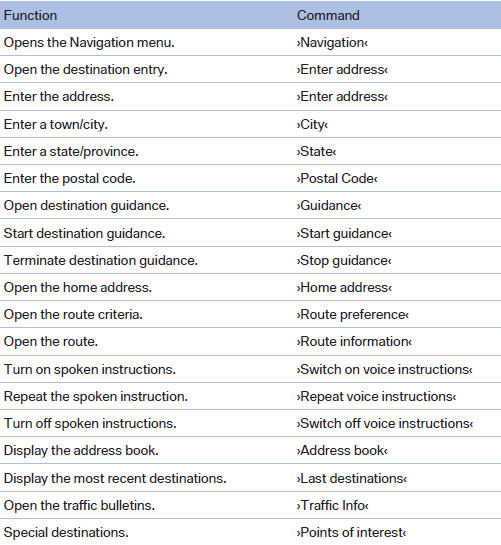
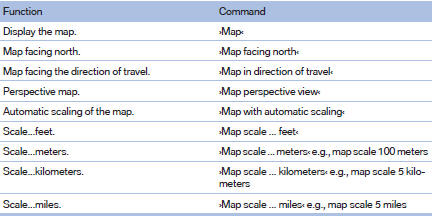
Map
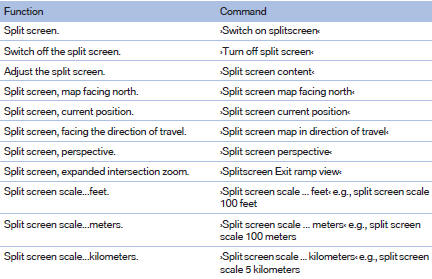
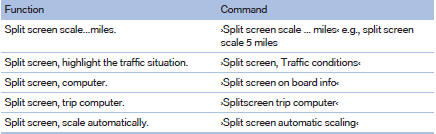
Split screen settings
Destination guidance with intermediate destinations

See also:
Speed limit
Display of a speed limit which, when reached,
should cause a warning to be issued.
The warning is repeated if the vehicle speed
drops below the set speed limit once by at least
3 mph/5 km/h.
Di ...
Deleting all stored programs
Press the two outer memory buttons for approx.
20 seconds until the LED flashes rapidly.
All stored programs are deleted.
The programs cannot be deleted individually ...
Parking brake
The parking brake is primarily intended to prevent the vehicle from rolling while
parked; it brakes the rear wheels.
Indicator lamp The indicator lamp is lit, and when you drive
off a signal soun ...