
Screw thread
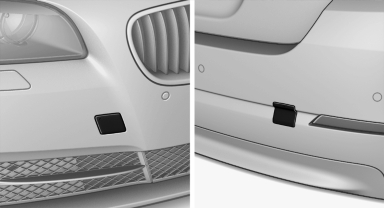
Push out the cover by pressing on the top edge.
See also:
Activating/deactivating the functions
Several menu items are preceded by a checkbox.
It indicates whether the function is activated
or deactivated. Selecting the menu item
activates or deactivates the function.
The function is acti ...
Deleting the button assignments
1. Press buttons 1 and 8 simultaneously for
approx. five seconds.
2. "OK" ...
Starting BMW Online
1. "BMW Assist" or "ConnectedDrive"
2. "BMW Online"
Starting BMW Online
3. If necessary, "OK".
The BMW Online home page is displayed. ...