
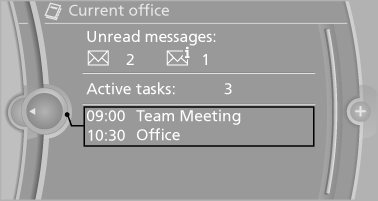
Office information
The number of unread messages and active tasks as well as the upcoming appointments are displayed.
1. "Office"
2. "Current office"
3. Select the desired entry to display details.
See also:
Floor net
The floor net can also be used to Secure the load
and to store small parts.
Floor net
Hook the floor net into the fittings in the cargo
area floor. ...
Traffic bulletins on the map
"Traffic conditions/gray map" active:
The Control Display changes to a black and
white display. This enables a better view of the
traffic bulletins. The day/night mode is disregarded
...
Clean the windshield, headlamps
Pull the lever.
The system sprays washer fluid on the windshield
and activates the wipers briefly.
In addition, the headlamps are cleaned at regular
intervals when the vehicle lights are swi ...