
Last destinations
At a glance
The destinations previously entered are stored automatically.
The destinations can be called up and used as a destination for destination guidance.
Calling up the last destination
1. "Navigation"
2. "Last destinations"
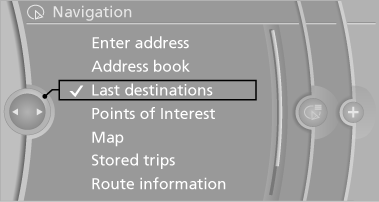
Starting destination guidance
1. "Navigation"
2. "Last destinations"
3. Select the destination.
4. "Start guidance"
Editing the destination
1. "Navigation"
2. "Last destinations"
3. Highlight the destination.
4. Open "Options".
5. "Edit destination"
Deleting the last destinations
1. "Navigation"
2. "Last destinations"
3. Highlight the destination.
4. Open "Options".
5. "Delete entry" or "Delete all last
destinations"
See also:
Automatic Service Request
The Teleservice data necessary for servicing the vehicle are automatically sent
to your BMW center prior to the service deadline. If possible, the center will contact
you and a service appointment ...
Automatic update
About twice a year, Sirius performs an update of
the channel names and positions. The update
takes place automatically and may take several
minutes. ...
Activating HDC
Press the button; the LED above
the button
lights up. ...