
Switching on/off manually
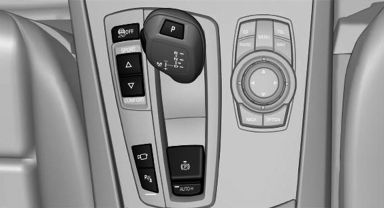
Switching on/off manually
 Press the
button.
Press the
button.
▷ On: the LED lights up.<> ▷ Off: the LED goes out.
See also:
Starting destination guidance
1. "Navigation".
2. Make a destination entry.
3. "Accept destination".
4. "Start guidance".
▷ The route is shown on the Control Display.
▷ The distance t ...
Safety switch
The safety switch in the driver's door can be
used to prevent children, for example, from
opening and closing the rear windows using the
switches in the rear.
Switching on and off
Press the b ...
My Info
Starting destination guidance
1. Select the message.
2. "Start guidance" or "Add as another
destination"
Dialing the number in the message
Up to 4 phone numbers can be transm ...