
Display in the instrument cluster
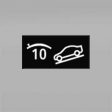 The selected speed is displayed
in the speedometer.
The selected speed is displayed
in the speedometer.
▷ Green: the system is actively braking the vehicle.
▷ Orange: the system is on standby.
See also:
Shift paddles for Sport automatic
transmission
Shift paddles for Sport automatic
transmission
The shift paddles on the steering wheel allow
you to shift gears quickly while keeping both
hands on the steering wheel.
If the shift paddles o ...
At a glance
General informationContacts, appointments, tasks, notes, text messages, and emailscan be
displayed using the Control Display if the mobile phone compatibly supports these
functions and the require ...
Malfunction
In the event of a failure or malfunction of the
parking brake, secure the vehicle against rolling
using a wheel chock, for example, when leaving
it. ...