
Activating HDC
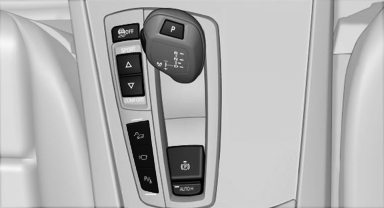
 Press the button; the LED above
the button
lights up.
Press the button; the LED above
the button
lights up.
See also:
Safety
The X3 earned a 2009 Top Safety Pick designation from the Insurance Institute
for Highway Safety, the agency's highest award. That means it earned top scores
in IIHS' frontal-offset, side-impact a ...
Vehicle Overview
Redesigned for 2012, the BMW 6 Series comes with either an inline-six or V-8
engine and is offered in coupe and soft-top convertible variants, both of which
seat four. New features include adaptiv ...
Roadside Assistance
At a glance
BMW Roadside Assistance can be contacted if
assistance is needed in the event of a breakdown.
Roadside Assistance can also be contacted via
a Check Control message
Start Roadside As ...