
Selection lists in the instrument cluster
The concept
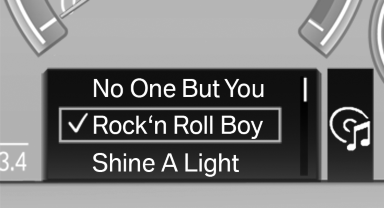
The concept
The following can be operated using the buttons and the thumbwheel on the steering wheel:
▷ Current audio source.
▷ Redial on telephone.
▷ Activation of the voice activation system.
Activating a list and creating the setting
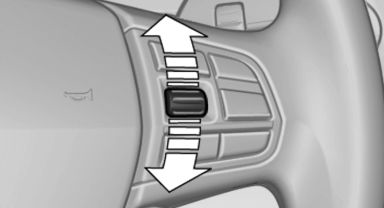
Activating a list and creating the
setting
On the right side of the steering wheel, turn the thumbwheel to activate the corresponding list.
Using the thumbwheel, select the desired setting and confirm it by pressing the thumbwheel.
See also:
Odometer and trip odometer
Resetting trip odometer:
With the ignition switched on, press button 1 in
the instrument cluster. ...
Notes
If the battery is discharged, an engine can be
started using the battery of another vehicle and
two jumper cables. Only use jumper cables
with fully insulated clamp handles.
To prevent personal ...
BMW X5 with BMW Advanced Diesel:
required fuel
Ultra-Low Sulfur Diesel
The engine of your BMW is designed for diesel
with a low sulfur content:
Ultra-low sulfur diesel ASTM D 975-07a.
Only refuel with ultra-low sulfur diesel.
The percentag ...