
Overview, instrument cluster
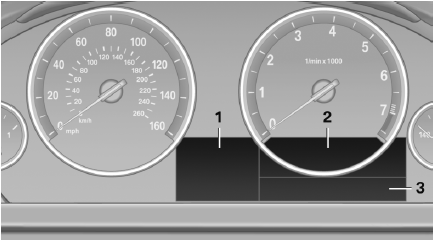
1. Miles/trip miles
External temperature
Time
Date
Range
Selection list, e.g., radio
Navigation display
Computer
2. Transmission display
Current fuel consumption
Energy recovery
3. Service requirements
Messages, e.g. Check Contro
Navigation display
See also:
HD Radio™ reception
Many stations broadcast both analog and digital signals. If a digital radio network
is available, these stations can be received digitally and thus with better sound
quality.
License conditions
...
Center armrest
Storage compartmentThe center armrest between the front seats contains a credit card holder and,
depending on the equipment version, a compartment or a snap-in adapter.
Opening
Press the button, ...
Vehicle information
Owner's Manual
Computer
Vehicle
...