
Automatic locking
The setting is stored for the remote control currently in use.
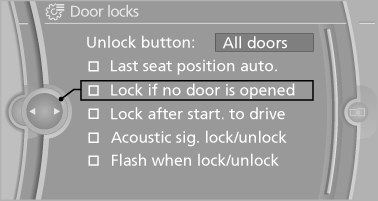
1. "Settings"
2. "Door locks"
3. Select the desired function:
▷ "Lock if no door is opened"
The vehicle locks automatically after a
short period of time if a door is not
opened.
▷ "Lock after start. to drive"
The vehicle locks automatically after
you drive away.
The vehicle locks automatically after
you drive away
See also:
Integral Active Steering
The concept
Integral Active Steering is a combination of Active
Steering and rear axle steering.
Active Steering varies the steering angle of the
wheels in relation to the steering wheel movemen ...
General malfunctions
▷ CD/DVD changers and players have been
optimized for performance in vehicles. In
some instances they may be more sensitive
to faulty CDs/DVDs than stationary devices
would be.
▷ ...
The design: commanding presence and athletic elegance.
The new BMW 6-Series Coupe heralds the arrival of an exceptionally sporty and
exclusive 2+2-seater in the premium segment of top-class Coupes. The new model's
extra length and width over its prede ...