
Status field symbols
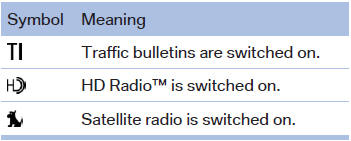
The symbols are grouped as follows.
Radio symbols
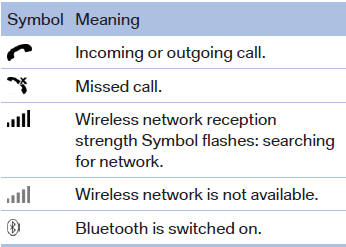
Telephone symbols
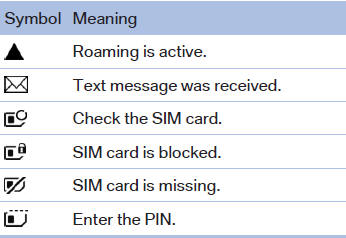
Entertainment symbols
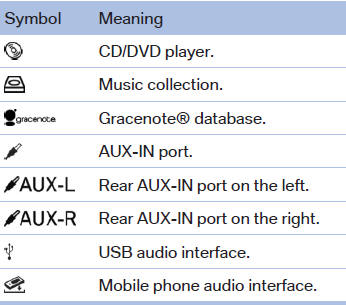
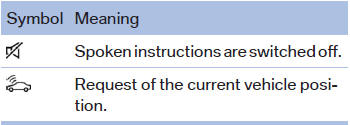
Additional symbols
See also:
Using the door lock
General information
Locking from the outside
Do not lock the vehicle from the outside if
there are people in it, as the vehicle cannot be
unlocked from inside without special knowledge.◀ ...
Side View
The concept
Side View provides an early look at cross traffic
at blind driveways and intersections. Road users
concealed by obstacles to the left and right of
the vehicle can only be detected r ...
Contacts
Note
If equipped with Professional mobile phone
preparation package.
At a glance
Contacts can be created and edited. The contacts
from the mobile phone are displayed as
well if this function ...