
Onboard vehicle tool kit
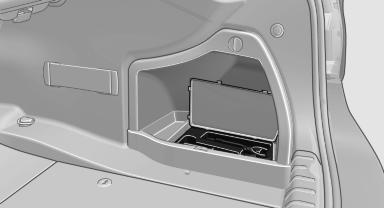
The onboard vehicle tool kit is located on the right side in the cargo area in a storage compartment.
Open the cover.
See also:
Malfunction
A message is displayed in the instrument cluster.
HDC is not available, e.g., due to elevated
brake temperatures. ...
Using voice activation
Activating the voice activation system
1. Press the button on the
steering
wheel.
2. Wait for the signal.
3. Say the command.
The command appears on the Control Display.
The symbol on the C ...
Functional requirements
The system must have been initialized when the
tire inflation pressure was correct; otherwise,
reliable signaling of a flat tire is not ensured. Initialize
the system after each correction of th ...