
Fuel cap
Opening
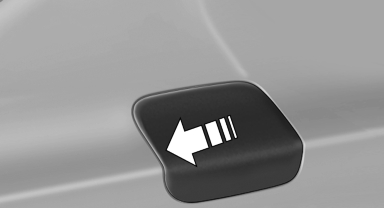
1. Briefly press the rear edge of the fuel filler flap.
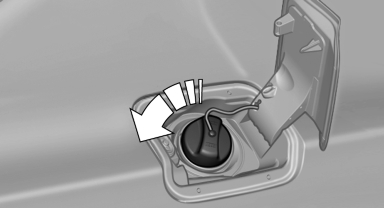
2. Turn the fuel cap counterclockwise.
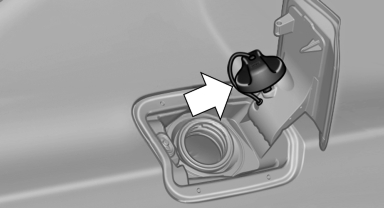
3. Place the fuel cap in the bracket attached to the fuel filler flap.
Closing
1. Fit the cap and turn it clockwise until you clearly hear a click.
2. Close the fuel filler flap.
 Do not pinch the retaining strap
Do not pinch the retaining strap attached to the cap; otherwise, the cap cannot be closed properly and fuel vapors can escape.
A message is displayed if the cap is loose or missing.
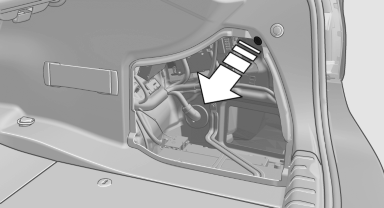
Manually unlocking fuel filler flap
In the event of an electrical malfunction, for example.
1. Open the cover on the right side trim. To do this, turn the cap.
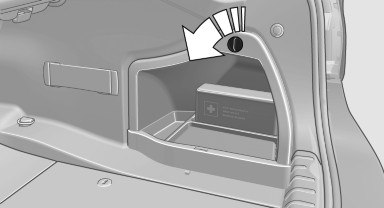
2. Pull the green knob with the fuel pump symbol.
This releases the fuel filler flap.
See also:
Adjusting the side extensions
Adjusting the side extensions
Fold forward for increased lateral support in the
resting position.
Removing
The head restraints cannot be removed. ...
Setting the compass zones
Sets the particular compass zones on the vehicle
so that the compass operates correctly; refer
to World map with compass zones.
World map with compass zones
World map with compass zones
Proce ...
Activating a list and creating the setting
Activating a list and creating the setting
On the right side of the steering wheel, turn the
thumbwheel to activate the corresponding list.
Using the thumbwheel, select the desired setting
and ...