
Notes
Displaying notes
1. "Office".
2. "Notes".
All notes are displayed.
Displaying the note
1. Select the desired note.
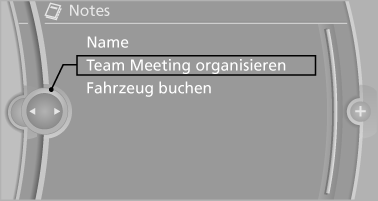
2. Scroll in the note if necessary:
▷ Turn the controller.
▷  Select the symbol.
Using contact data
Contact data from appointments, tasks, text messages, e-mails and notes can be saved or selected.
Reading the note out loud
Read the note out loud.
See also:
Environmental conditions
▷ Say the commands, numbers, and letters
smoothly and with normal volume, emphasis,
and speed.
▷ Always say commands in the language of
the voice activation system.
▷ When se ...
BMW X5: rear seats and 3rd row seats Adjusting the height
BMW X5: rear seats and 3rd row seats Adjusting the height
▷ To raise: pull.
▷ To lower: press the button, arrow 1, and
push the head restraint down.
In vehicles equipped with 3rd ro ...
Supplementary text messages
Addition information, such as on the cause of a
fault or the required action, can be called up via
Check Control.
In urgent cases, this information will be shown
as soon as the corresponding la ...