
General information
The following functions are available:
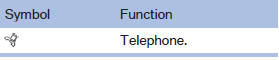
▷ Use of a mobile phone as a telephone.
Functions supported by the mobile phone are shown as a symbol during pairing.
White symbol: the function is active.
Gray symbol: the function is inactive.
See also:
Safety
As of publication, the X6 hasn't been crash-tested by the Insurance Institute
for Highway Safety. The SUV comes with a number of standard safety features,
including antilock brakes, side-impact ai ...
Possible commands
Most menu items on the Control Display can be spoken as commands.
The available commands depend on which menu is currently selected on the Control
Display.
There are short commands for functions o ...
Locking and unlocking
Locking and unlocking
Pressing the buttons locks and unlocks the
doors and the trunk lid when the front doors are
closed, but they are not secured against theft.
The fuel filler flap remains u ...