
Storing a station
1. "Radio".
2. "FM" or "AM".
3. Highlight the desired station.
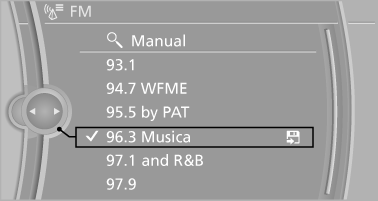
4. Press the controller for an extended period.
5. Select the desired memory location.
The stations are stored for the remote control currently in use.
With navigation system: the stations can also be stored on the programmable memory buttons.
See also:
Switching on automatically
Select transmission position R with the engine
running. ...
Adjusting
Vehicle
Equipment
...
Tire Pressure Monitor TPM
The concept
The tire inflation pressure is measured in the
four mounted tires. The system notifies you if
there is a significant loss of pressure in one or
more tires. ...