
Selecting a station
1. "Radio".
2. "FM" or "AM".
3. Select the desired station.
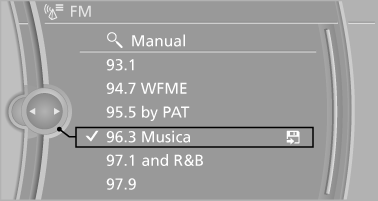
All saved stations are stored for the remote control currently in use.
See also:
New for 2011
A new eight-speed automatic transmission is standard on the 2011 models and
replaces a six-speed automatic. The xDrive35i has BMW's new single-turbo
3.0-liter inline six-cylinder (replacing a twin ...
The concept
If the vehicle does not include Active Cruise
Control with Stop & Go, the collision warning is
controlled via the camera in the base of the interior
rearview mirror.
The system issues a two ...
BMW X5
The clothes hooks are located at the grab handles
in the rear. ...