
Multi-channel playback, surround
Choose between stereo and multi-channel playback, surround.
Setting multi-channel playback, surround
1. "CD/Multimedia", "Radio" or "Settings".
2. "Tone".
3. "L7 Surround"
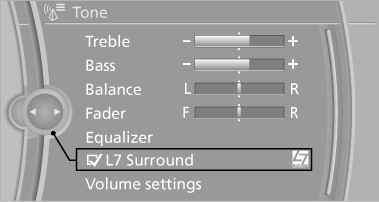
When surround is activated, multi-channel playback is simulated when a stereo audio track is played.
LOGIC7 and LOGIC7 logo are registered trademarks of Lexicon, Inc., a Harman International Group company.
See also:
Opening/closing the glass sunroof
▷ Press the switch in the
desired
direction to the resistance
point and hold it there.
The glass sunroof moves
while the switch is being held.
▷ Press the switch in the desired ...
The concept
BMW Advanced Diesel reduces nitrogen oxides
in the diesel exhaust of your vehicle by injecting
the reducing agent diesel exhaust fluid into the
exhaust line. In the catalytic converter, a chemic ...
Towing other vehicles
General information
Light towing vehicle
Your vehicle must not be lighter than the
vehicle being towed; otherwise, it will not be
possible to control vehicle response.◀
Attaching the ...