
Front storage compartment
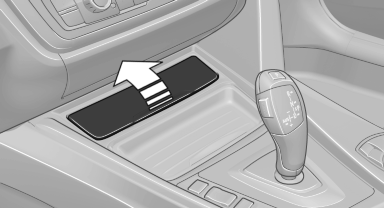
Raise the lid to open it.
See also:
Engine stop
The engine is switched off automatically during
a stop under the following conditions:
Manual transmission:
▷ Neutral is engaged and the clutch pedal is
not pressed.
▷ The driver's ...
The concept
You can set several of your vehicle's functions
to suit your personal needs and preferences.
▷ The settings are automatically saved in the
profile currently activated in the remote control. ...
Design: charismatic and athletic.
With the longest wheelbase in the segment, a long and sleek hood, short
overhangs, and a coupe-like roofline, the new BMW 5-Series Sedan stands out
clearly from the competition. Overall, the aesth ...