
At a glance
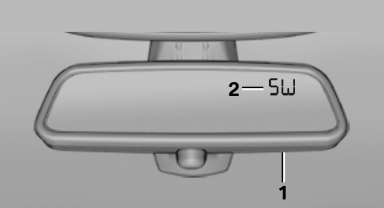
1 Control button
2 Mirror display
See also:
1990: the third generation - premiere of the BMW 3-Series Coupé and BMW
3-Series Compact, new six-cylinder petrol and turbodiesel engines
1990 saw the introduction of the third-generation 3-Series, the four-door
Sedan taking to the stage on a wave of elegance and new technology. On top of
this, the dimensions of the body and the spa ...
General information
The system supports you in entering street
names and house numbers by automatically
completing the entry and providing entry comparisons
Stored town/city and street names can be called
up quick ...
On/off and tone
The following audio and video sources share the same control elements and adjustments:
> Radio
> CD/DVD player
> CD changer
> Video
> External devices, e.g. MP3 player ...