
Assistance functions
Functional requirement
▷ The backup camera is switched on.
▷ The trunk lid is fully closed.
Pathway lines
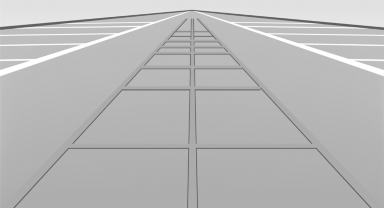
Pathway lines
▷ Can be shown in the backup camera image when in transmission position R.
▷ Help you to estimate the space required when parking and maneuvering on level roads.
▷ Are dependent on the current steering angle and are continuously adjusted to the steering wheel movements.
Show the parking aid lines.
Turning circle lines
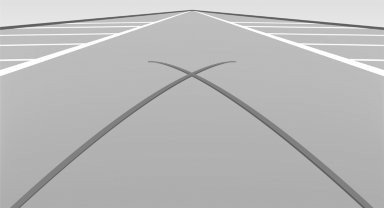
Turning circle lines
▷ Can be shown in the backup camera image.
▷ Show the course of the smallest possible turning circle on a level road.
▷ Only one turning circle line is displayed when the steering wheel is turned.
Show the parking aid lines.
Parking using pathway and turning circle lines
1. Position the vehicle so that the turning circle lines lead to within the limits of the parking space.
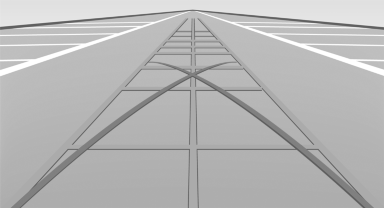
2. Turn the steering wheel to the point where the pathway line covers the corresponding turning circle line.
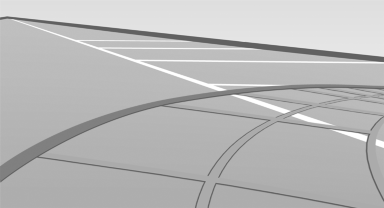
Obstacle marking
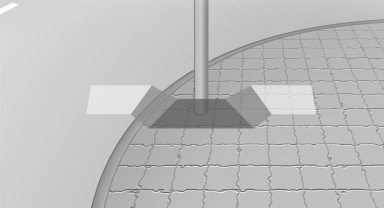
Obstacle marking
▷ Spatially-shaped markings can be shown in the backup camera image.
Their colored steps match the markings of the PDC. This simplifies estimation of the distance to the object shown.
See also:
Components of the integrated Owner's
Manual
The integrated Owner's Manual consists of
three parts, which offer various levels of information
or access possibilities.
Quick Reference Guide
Located in the Quick Reference is important inform ...
Date
The date is displayed in the instrument
cluster.
Setting the date and date format. ...
Fog lamps
Front fog lamps
The parking lamps or low beams must be
switched on.
Press the button. The green
indicator
lamp lights up.
If the automatic headlamp control, refer to
page 86, is activated, ...