
Switching the warning function on/off
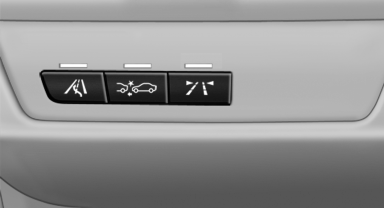
Switching the warning function on/off
 Press the button
▷ On: the LED lights up.
▷ Off: the LED goes out.
The state is stored for the remote control currently in use.
See also:
View of an opened menu
When a menu is opened, it generally opens with
the panel that was last selected in that menu. To
display the first panel of a menu:
► Move the controller to the left repeatedly
until the f ...
Vehicle equipment
All standard, country-specific and optional
equipment that is offered in the model series is
described in this chapter. Therefore, equipment
is also described that is not available in a vehicle,
e ...
The concept
The system is functional at speeds beginning at
approx. 20 mph/30 km/h.
It maintains the speed that was set using the
control elements on the steering wheel.
The system brakes on downhill gradie ...