
Language
Setting the language
To set the language on the Control Display:
1. "Settings"
2. "Language/Units"
3. "Language:"
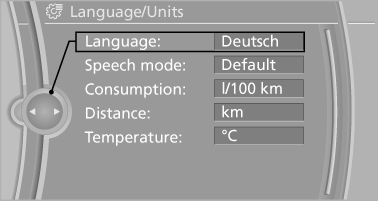
4. Select the desired language.
The setting is stored for the remote control currently in use.
See also:
Capacity
The ski bag can be used to transport up to three
pairs of skis with a length of up to 6 ft/2.10 m or
a snowboard of up to 5 ft/1.60 m. ...
First aid kit
The first aid kit is located in the container on the
inside of the trunk lid.
Unscrew the wing nut to open.
Some of the articles have a limited service life.
Check the expiration dates of the c ...
The concept
This system can replace up to three different
hand-held transmitters for various types of remote-
controlled equipment, such as garage
doors or lighting systems.
The hand-held transmitter signa ...