
Current fuel consumption
Instrument cluster

Displays the current fuel consumption.
You can check whether you are currently driving in an efficient and environmentally- friendly manner.
Instrument cluster with enhanced features
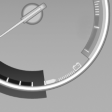
Displays the current fuel consumption.
You can check whether you are currently driving in an efficient and environmentally- friendly manner.
Displaying the current fuel consumption
1. "Settings"
2. "Info display"
3. "Additional indicators"
The bar display for the current fuel consumption is displayed in the instrument cluster.
See also:
Fuel tank capacity
Gasoline engine Fuel tank capacity: approx.
21.6 US gal/82 liters.
Refuel promptly
Refuel below a range of 30 miles/50 km;
otherwise, engine functions are not ensured and
damage may occur. ...
Tire Pressure Monitor TPM
The concept
The tire inflation pressure is measured in the
four mounted tires. The system notifies you if
there is a significant loss of pressure in one or
more tires. ...
Advanced axle design further refined: five-link rear axle improves driving
dynamics and comfort
Incorporating various significant improvements and refinements, the rear axle
of the new BMW 3-Series makes an important contribution to the new model's
improved driving dynamics and comfort. Its ...