
Date
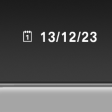
The date is displayed in the instrument cluster.
Setting the date and date format.
See also:
Condition Based Service CBS
Sensors and special algorithms take into account
the driving conditions of your vehicle.
Based on this, Condition Based Service determines
the maintenance requirements.
The system makes it possi ...
Parking using the parking assistant
Personal responsibility
The parking assistant does not relieve the
driver of responsibility for the vehicle during the
parking procedure.
Watch the parking space and parking procedure
closely ...
Status of the Owner's Manual
The manufacturer of your vehicle pursues a policy
of constant development that is conceived
to ensure that our vehicles continue to embody
the highest quality and safety standards. In rare
cas ...