
Overview, instrument cluster with enhanced features
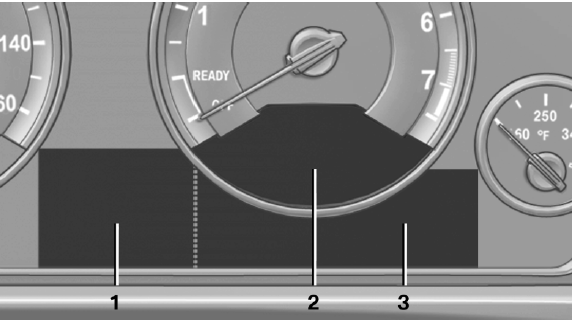
Overview, instrument cluster with enhanced features
1 Time
External temperature
Date
Selection list, e.g., radio
Speed limit detection
Computer
Miles/trip miles
Navigation display
2 Energy recovery
Transmission display
Current fuel consumption
ECO PRO
3 Messages, e.g. Check Control
Service requirements
See also:
Display the calendar
Appointments during the last 20 days and the
next 50 days can be displayed.
1. "Office"
2. "Calendar"
The appointments on the current day are
displayed.
1. Select the date. ...
Switching the microphone to mute
When a call is active, the microphone can be
muted.
1. "Telephone".
2. "Active calls".
3. "Microphone mute"
A microphone that has been switched to mute
is automa ...
BMW X5
The clothes hooks are located at the grab handles
in the rear. ...