
Overview, instrument cluster
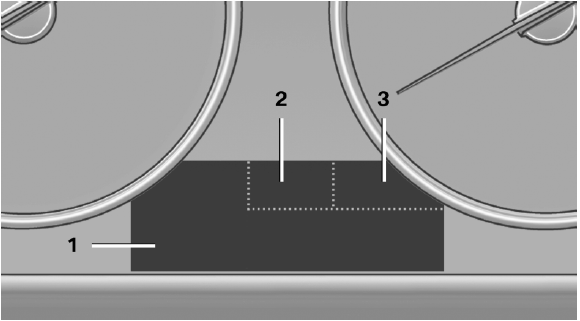
Overview, instrument cluster
1 Messages, e.g. Check Control
Time
Date
External temperature
Selection lists
Service requirements
Miles/trip miles
Computer
2 Transmission display
Gear shift indicator
3 Status, Driving Experience Switch
See also:
Sport Line
With eye-catching exterior features in high-gloss black, this new line
accentuates the dynamic appearance of the BMW 3-Series Sedan. Eight heavily
contoured black kidney grille slats in a chrome-c ...
Cupholders
Notes
Shatter-proof containers and no hot
drinks
Use light and shatter-proof containers and do
not transport hot drinks. Otherwise, there is the
increased danger of injury in an accident.◄ ...
Replacing the batteries
No rechargeable batteries
Do not use rechargeable batteries, as
damage may result from the substances in the
batteries.
1. Remove the cover. Press on the cover, arrow
1, and push forward, ...