
Opening the main menu
 Press the button.
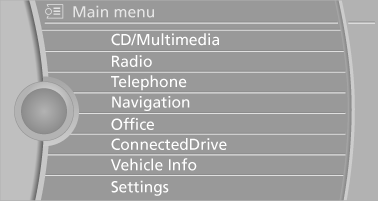
The main menu is displayed.
All iDrive functions can be called up via the main menu.
See also:
Observe the following when refueling
The fuel tank is full when the filler nozzle clicks
off the first time.
Handling fuels
Obey safety regulations posted at the gas
station. ...
BMW Assist
General information
BMW Assist provides you with certain services,
e.g., transmission of the position data of your
vehicle to the BMW Assist Response Center if
an Emergency Request has been ini ...
System limits
Check the traffic situation as well
Check the traffic situation around the vehicle
with your own eyes. Otherwise, an accident
could result from road users or objects located
outside the pictu ...