
Navigation
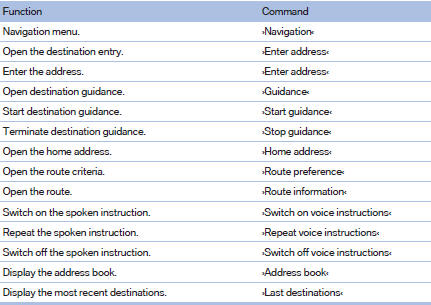
General information

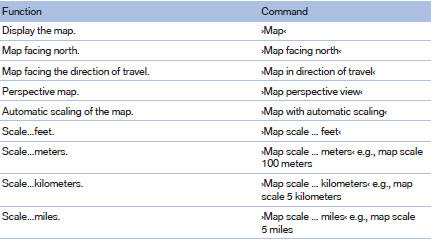
Map
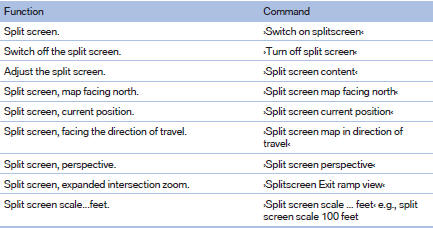
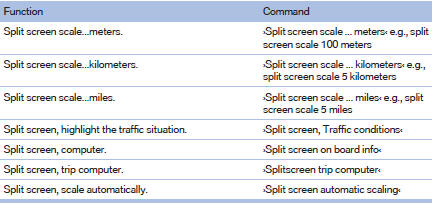
Split screen settings
Destination guidance with intermediate destinations

See also:
Selecting a station manually
Station selection via the frequency.
1. "Radio".
2. "FM" or "AM".
3. "Manual".
4. To select the frequency: turn the controller.
To store the station: pre ...
Folding down head restraints
Extending/retracting head
restraint
Only fold down head restraint if no passengers
are in the rear. Fold out retracted headrests
again if passengers are being carried in the
rear; otherwise, ...
Automatic update
About twice a year, Sirius performs an update of the channel names and positions.
The update takes place automatically and may take several minutes. ...