
Front
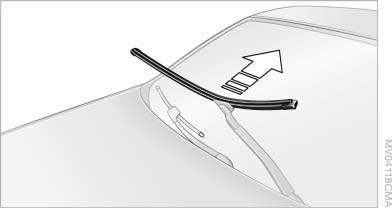
1. Fold up the wiper arm.
2. Fold the wiper blade upwards.
3. Remove the wiper blade toward the windshield,
refer to arrow.
See also:
Status display
The tire and system status is indicated by the
color of the tires.
A change in the tire inflation pressure during
driving is taken into account.
A correction is only necessary if this is indicat ...
Exporting/importing contacts
Contacts can be exported and imported via the
Personal Profile. The contacts
stored in the vehicle are exported, but not those
from the mobile phone. ...
Trip computer
There are two types of computer.
▷ "Onboard info": the values can be reset as
often as necessary.
▷ "Trip computer": the values provide an overview
of the current ...