
Automatic Service Request
The TeleService data necessary for servicing the vehicle are automatically sent to your service partner prior to the service deadline. If possible, the service partner will contact you and a service appointment can be arranged.
To check when your service partner was notified:
1. "Vehicle Info"
2. "Vehicle status"
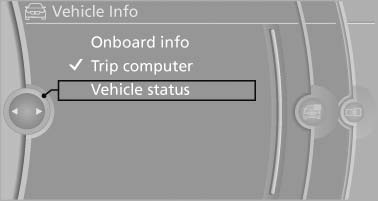
Automatic Service Request
3. Open "Options".
4. "Last Service Request"
See also:
Vehicle equipment
All standard, country-specific and optional
equipment that is offered in the model series is
described in this chapter. Therefore, equipment
is also described that is not available in a vehicle,
e ...
The concept
The parked-car ventilation blows air into the
passenger compartment to lower interior temperatures.
The system can be switched on and off at any
external temperature, either directly or by using ...
Instrument lighting
Adjusting
The parking lamps or low beams
must be switched on to adjust the
brightness.
Adjust the brightness using the
thumbwheel. ...