
Displaying contacts
1. "Contacts"
2. "My contacts"
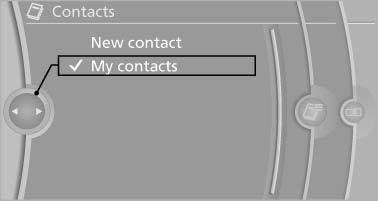
Displaying contacts
All contacts are listed in alphabetical order. Depending on the number of contacts, an A-Z search is offered
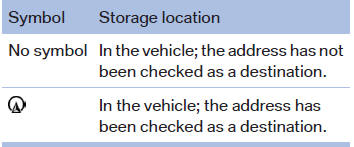
A symbol indicates the storage location of the contacts:
See also:
Pairing/unpairing the mobile
phone
General information
The following functions are available:
▷ Use of a mobile phone as a telephone.
▷ Use of a mobile phone as an additional telephone.
▷ Use of a mobile phone as ...
Automatic deactivation of the front
passenger airbags
The system determines whether the front passenger
seat is occupied by measuring the resistance
of the human body.
The front, knee, and side airbag on the front
passenger side are activated or d ...
Controls
Controls
1. Press: switch the DVD system on/off
Turn: left headphone volume and vehicle
volume
2. Eject CD/DVD
3. Beginning of
track
Stop
Play ...