
Office information
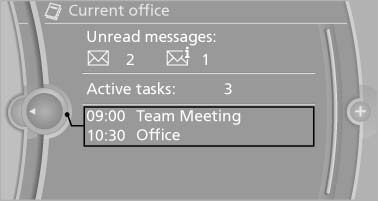
The number of unread messages and active tasks as well as the upcoming appointments are displayed.
1. "Office"
2. "Current office"
3. Select the desired entry to display details.
See also:
Maximum cooling
Press the button.
The system is set to the lowest
temperature, maximum air volume
and recirculated-air mode.
Air flows out of the vents for the upper body region.
Open them for this purpose.
...
Switching on automatically
With the engine running or the ignition switched
on, shift the selector lever into position R. ...
Status of the Owner's Manual
The manufacturer of your vehicle pursues a policy
of constant development that is conceived
to ensure that our vehicles continue to embody
the highest quality and safety standards. In rare
cas ...